A Gradle + SFDX love story: Automation & Symbols
Configure your project with Gradle and have a working symbol table for complicated multi-module projects
Background
We’ve been working hard on our second iteration of a payment processing managed package. When we started out in January 2019, we opted to go full SFDX, leveraging second generation packaging exclusively. In the past we have been frustrated with the lack of automation for our development process, so we were determined to have a “one click” build task to fully setup a scratch org, including all dependencies, loaded with test data, and to have our IDE automatically configured for use with this new connection.
We wanted to click a button, grab a :coffee:, return to our desks ready to write and deploy code - no faffing around.
As mostly an IntelliJ and IC2 shop (although, some of us are experimenting with VSCode now), to enable this automated setup, we decided to leverage a popular build tool some of us were already familiar with: Gradle.
This article will detail some of the many issues we’ve worked around by leveraging Gradle build tasks to help us with multi-module SFDX package development.
Issues
By the end of January, we realized that gradle was going to do have to do a lot more of the heavy lifting than just scratch org automation. SFDX, and Illuminated Cloud’s support of SFDX, has come a long way since early 2019.
Multiple modules & Packaging limitations
As a payment processing application, we stuck to strict domain separation between modules, where each payment processing integration has it’s own module and second generation package, depending on a core module/package. Unfortunately there are a lot of limitations to doing this successfully on salesforce (still the case as of writing);
- Conflicts on picklists
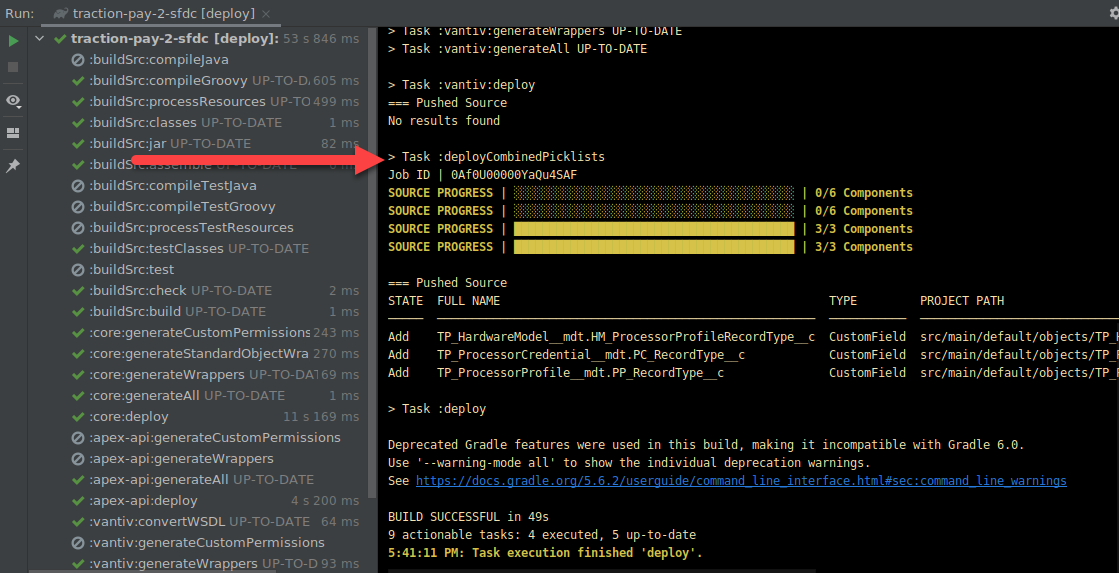
- If you have a table, with a picklist field defined in core - and you want to add a picklist value to that field in another package - you won’t be able to package or deploy successfully using the SFDX cli. Additionally, if you deploy module by module, separately, to work around the failure, you’ll find the last picklist value to be deployed will deactivate all the others.
- We created a task to follow up any deployment with a “deploy all picklists” task, that looks at the deployed modules, combines all picklist values in picklist fields, and deploys those afterwards.
- Conflicts on object fields
- Documented here: https://github.com/JonnyPower/sfdx-push-bug-20190124
- Essentially, if you define a table in core, and add a field in a downstream package, SFDX will generate a package.xml during deployment with the
CustomFieldentry for the downstream field, but the object.xml will not contain the page, resulting in:An object 'Example_Object__c.Second_Field__c' of type CustomField was named in package.xml, but was not found in zipped directory
- Conflicts on record types
- Same story as picklists
- Interface restrictions
- if a downstream package implements an interface defined in core & downstream package calls an interface method on an implementation in the downstream package, there is a compile time error because the method it is not visible
- However, there is no way to make the method visible -
@NamespaceAccesibledoesn’t work on interface methods. - Documented here: https://github.com/JonnyPower/second-gen-packaging-public-interface-implentation
- Adding fields to protected custom metadata types
- Documented here: https://github.com/JonnyPower/second-gen-packaging-field-on-mdt
- Essentially, at package time, salesforce enforces that only the package creating the table for protected custom metadata type can add fields. This is a leftover protection from 1st generation packaging, and after speaking with salesforce, they will allow this within the same namespace in an unspecified release.
- Conflicts on labels
- Although I think the SFDX cli is getting close to solving this
All these packaging issues meant we were too early, the platform wasn’t ready yet for full modular development the way we wanted. We still wanted to organize our code in domain separated modules, but we quickly understood that we would have to package them all up as a monolith until all the above issues were resolved, allowing us to package each module independently.
CI
Due to the above issues with multiple modules / packages, we realized we would have to deploy module by module in dependency order. e.g. core first, followed by packages dependent on core. This presents a problem with continuous integration: how can we safely clean up an org for the next job, to ensure isolated deployment issues? If I write a new class, that causes a test failure in the org (maybe it changes dependency injection behavior or similar) - the poor developer commiting code after me should not get a build failure because my old class is still hanging around in the org.
In first generation development, you could very easily deploy with a checkonly="true" flag in your ant build script, and this would always work because you only had a single module - and any dependencies outside of your workspace could be installed in the org. You can do this too in SFDX, however, in our case that would only work when deploying core. deploying a downstream package after core rolls back (because it’s a check only deployment) will always result in a compile failure. There was a few options available to us here;
- Treat each package like a different project in terms of ci. Meaning, when running CI on a downstream package, it’s CI org should already have the last tagged version of core.
- We didn’t like this option. We opted for a single repo so we could work on multiple modules at once, and have those changes committed and managed all at once. Having to tag a release of core, before your build would pass for a downstream package seemed like way too much overhead.
- Spin up a scratch org for each CI run, then spin down when build finishes.
- At the time, we didn’t have enough daily creates to allow us to do this safely. We run builds all day every day, and we would very quickly exhaust this limit. We had to share our scratch org allocation with the rest of Traction on Demand, and we had no right to consume it all for our CI builds.
- We have our own scratch org limits now, which mitigates this a bit today
- Combine modules in to a monolith, and run a check only deploy on a monolithic project
- We opted for this, because we realized we would have to release our application as a monolithic package anyway, due to the myriad off packaging issues described earlier.
- Downside: This is far from perfect. Sometimes developers will make a change in core that references a class in a downstream package. This will work in their dev org because everything is already deployed, so the reference is available. It will also work when monolithed for CI. However - it’s bleeding domains! Core can’t depend on a downstream package! So, rolling a new org at the start of the week can fail due to merged code making this mistake.
Offline Symbol Table
We also noticed that the offline symbol table for illuminated cloud would not work correctly in downstream packages. A class in a downstream package could reference core classes (which was the “default” module in Illuminated Cloud’s configuration) but it could not reference it’s own.
Relevant side note: You have to have the dependency on core configured for the IntelliJ module for it to correctly find the core modules.
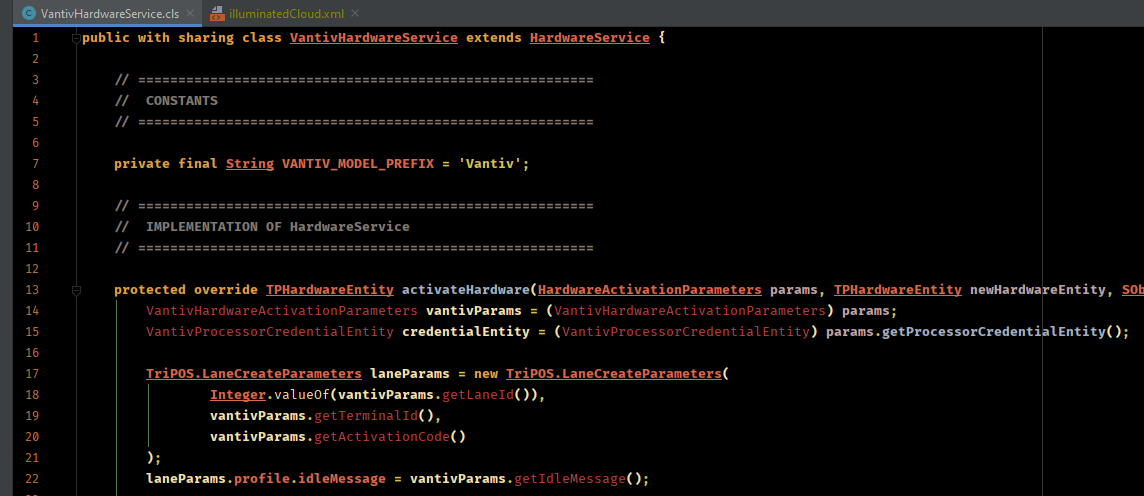
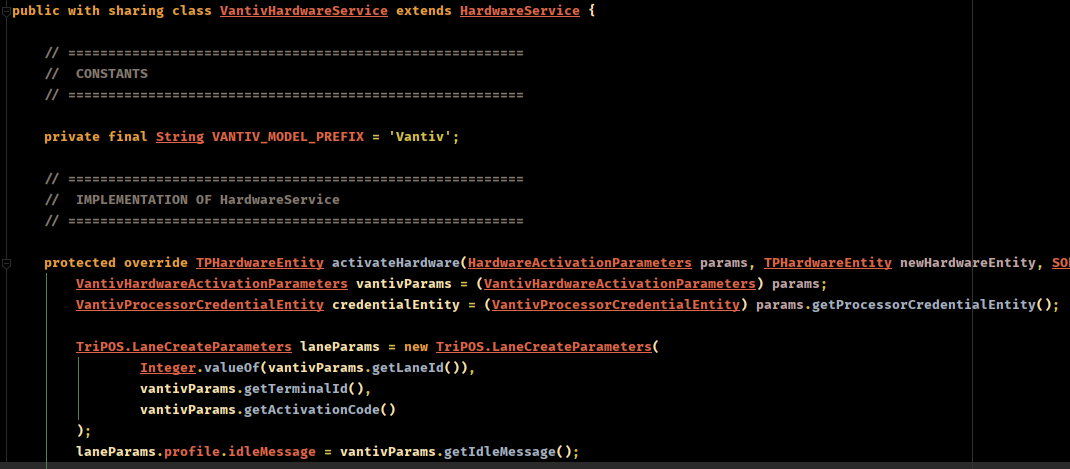
We discovered the reason for this: we were working in a managed package namespace during development (meaning all our orgs had our managed package namespace). Illuminated cloud would create a symbol table, with a subfolder named after our namespace - and this folder would contain symbols for all classes NOT in our default module (core). It seemed that these classes existing in the offline symbol table would break resolution.
After deleting all the apex classes symbol entries (leaving behind the SObject symbols!) our symbols started working correctly.
Org Setup Automation
Aside from the issues listed above, we also wanted to automatically setup development orgs. This meant we needed gradle to;
- Prompt user for a username and number of days until expiry
- Create a scratch org with above info
- Configure IntelliJ’s modules and Illuminated Cloud facets to use this new connection
- Run all class generation
- I’ll write a different blog post about this - we generate our own ORM layer and don’t deal with SObjects directly
- Deploy all packages, in correct dependency order
- Deploy combined picklists
- Assign all permission sets to our user
- Execute data scripts to insert test data
We achieved all of the above with gradle tasks. Most of the tasks are basically just calling SwingBuilder to display a GUI, and then executing an SFDX command, and updating project properties.
Gradle Scripts
Enough details! Hit me with some of your scripts!
Okay, okay! I’ll share some of our useful gradle tasks below, to help you work around some of the issues we’ve talked about above.
Module Configuration
We wrote a task that would loop through all module iml files (skipping the root project and buildSrc modules) and;
- Set module type and version for use as an Illuminated Cloud module
- Add the facet
- Configure the facet with the connection defined in gradle.properties
- Point to the correct offline symbol table
task moduleSetup {
	doLast {
		// Change IntelliJ Module Configs
		fileTree(
			dir: rootProject.projectDir,
			includes: ['**/*.iml'],
			excludes: ['**/*traction-pay-2-sfdc.iml', '**/*buildSrc.iml']
		).visit { imlFileVisit ->
			if (imlFileVisit.isDirectory()) {
				return;
			}

			def File imlFile = imlFileVisit.file
			if(imlFile.exists()) {
				logger.info("iml file exists: " + imlFile.getName())
				logger.info("iml file content:\n" + imlFile.text)
			}
			def imlXml = new XmlParser().parse(imlFile)
			imlXml.attributes().clear()
			// Add IC@ Module Type
			imlXml.@type = "IlluminatedCloud"
			imlXml.@version = "4"
			def facetManager = imlXml.children().find {
				it.name() == "component" && it.@name == "FacetManager"
			}
			if(!facetManager) {
				facetManager = imlXml.appendNode("component", [name: "FacetManager"])
			}
			def builder = new NodeBuilder()
			def configuredFacet = builder.facet(type: "IlluminatedCloud", name: "Illuminated Cloud") {
				configuration {
					option(name: "connectionName", value: "$username")
					option(name: "connectionType", value: "SFDX")
				}
			}
			facetManager.children().clear()
			facetManager.append configuredFacet

			// Add IC SDK
			def sdkNode = imlXml.'**'.find {
				return it.name() == 'orderEntry' && (it.@type == 'jdk' || it.@type == 'inheritedJdk')
			}
			sdkNode?.@type = 'jdk'
			sdkNode?.@jdkType = 'IlluminatedCloud'
			sdkNode?.@jdkName = "IlluminatedCloud (" + rootProject.name + "/" + username + ")"

			def content = XmlUtil.serialize(imlXml)
			content = content.replaceAll("\\r\\n?", "\n")
			logger.info("new content: " + content)
			def writer = new FileWriter(imlFile)
			writer.write(content)
			writer.close()
		}
		// Rewrite illuminatedCloud.xml
		def illuminatedCloudXml = file(".idea/illuminatedCloud.xml")
		def coreModuleName = fileTree(
			dir: rootProject.projectDir,
			includes: ['**/*core*.iml']
		).first().name.minus(".iml")
		def icXmlWriter = new FileWriter(illuminatedCloudXml)
		new MarkupBuilder(icXmlWriter).project(version: "4") {
			component(name: "IlluminatedCloudSettings") {
				option(name: "connections") {
					list {
						IlluminatedCloudConnection {
							option(name: "connectionName", value: "$username")
							option(name: "connectionType", value: "SFDX")
							option(name: "defaultModuleName", value: coreModuleName)
							option(name: "offlineSymbolTablePath", value: "\$PROJECT_DIR\$/IlluminatedCloud/${username.replaceAll("\\.|@|-", "_")}/OfflineSymbolTable.zip")
						}
					}
				}
			}
		}
	}
}
Delete bad classes from symbol table
To delete the bad classes from our offline symbol table we;
- Find the current symbol table from an Illuminated Cloud configuration file
- Unzip
- Remove apex classes in namespace folder
- Excluding SObjects
- Zip back up
- Replace existing symbol table
task deleteClassesFromSymbolTable {
	doLast {
		def illuminatedCloudXml = new File(rootProject.projectDir, ".idea/illuminatedCloud.xml")
		if(illuminatedCloudXml.exists()) {
			def xml = new XmlParser().parse(illuminatedCloudXml)
			def offlineSymbolTableNode = xml.'**'.find { it.@name == 'offlineSymbolTablePath' }
			if(offlineSymbolTableNode) {
				def zipPath = offlineSymbolTableNode.@value.minus("\$PROJECT_DIR\$/")
				def workspace = file(zipPath + '_workspace')
				if(file(zipPath).exists()) {
					mkdir workspace
					ant.unzip(
						src: zipPath,
						dest: workspace
					)
					try {
						delete fileTree(workspace).matching {
							include "**/NAMESAPCE/**.cls"
							exclude "**/*__*"
						}
						delete file(zipPath)
						ant.zip(
							basedir: workspace,
							destfile: zipPath
						)
					} catch (Exception ex) {
						logger.warn("Could not clean up symbol table", ex)
					}
					try {
						delete workspace
					} catch(Exception ex) {
						logger.warn("Could not cleanup symbol workspace", ex)
					}
				}
			}
		}
	}
}
Idea gradle plugin
We added the idea-ext gradle plugin to our build file, so that we could hook into IntelliJ’s refresh event, so if anything gets messed up in the developers environment, refreshing the project in the gradle tool window will cause the module files to be rebuilt - this has proven to be very handy.
plugins {
	id "org.jetbrains.gradle.plugin.idea-ext" version "0.5"
}

// ....

idea.project.settings {
	taskTriggers {
		afterSync tasks.getByName("moduleSetup"), tasks.getByName("deleteClassesFromSymbolTable")
	}
}
When a developer rolls a new scratch org, they can click the refresh button, and their modules will be reconfigured to use the latest connection.
Monolithing
As you can probably guess, we have a ton of code related to monolithing and merging metadata. I don’t want to bloat this blog post with all that code, but I’ll provide a few snippets that should help you achieve the same with your projects. If there is enough interest I can create an open source repository to share our work.
- We prepare a build workspace
- We convert each module and place in a subfolder of the workspace
- We combine all the converted package xmls into a single package xml
- We combine all object.xmls to ensure no fields are left behind
- We combine custom labels defined in each module into a single custom label file
- SFDC’s CLI team are working on doing this in the native CLI now, so by the time you read this, you might not need a helper to merge custom labels :)
task prepareMetadataPackage {
	doLast {
		def packageDir = new File(rootProject.projectDir, "build/package")
		delete packageDir
		mkdir packageDir

		def resultDir = new File(packageDir, "/result")
		mkdir resultDir

		List<File> packageXmls = Lists.newArrayList();
		packageProjects.forEach { project ->
			buildDir = new File(rootProject.projectDir, "build/package/" + project.name)
			exec {
				workingDir project.projectDir
				commandLine osAdaptiveCommand("sfdx", "force:source:convert", "-r", "src", "-d", "$buildDir")
			}
			copy {
				from(buildDir) {
					exclude "**/objects", "package.xml"
				}
				into resultDir
			}
			packageXmls.add(
				new File(buildDir, "package.xml")
			)
		}
		new CombinePackageXMLHelper(
			packageXmls: packageXmls,
			outputFile: new File(resultDir, "package.xml"),
			apiVersion: projectJson.sourceApiVersion
		).combine()

		Map<String, List<File>> xmlsByObject = Maps.newHashMap()
		fileTree(dir: 'build/package', includes: ['**/objects/*.object']).visit {
			if (it.isDirectory) {
				return
			}
			if (!xmlsByObject.containsKey(it.name)) {
				xmlsByObject.put(it.name, Lists.newArrayList())
			}
			xmlsByObject.get(it.name).add(it.file)
		}
		def resultObjects = new File(resultDir, "objects")
		mkdir resultObjects
		new CombineObjectXMLHelper(
			xmlsByObject: xmlsByObject,
			outputDirectory: resultObjects
		).combine()

		new CombineCustomLabelsXMLHelper(
			projectDirectory: packageDir,
			outputDirectory: resultDir,
			dxFormat: false
		).combine()
	}
}
Gradle / groovy really shined with these helpers, as it becomes very easy to read / merge / write xml with groovy’s utlities. For example, this is how we rebuild the package xml based on other package xmls:
class CombinePackageXMLHelper {

	List<File> packageXmls
	File outputFile
	String apiVersion

	private Map<String, List<String>> membersByType = Maps.newHashMap()

	def combine() {
		packageXmls.forEach {
			def xml = new XmlParser().parse(it)
			xml.types.forEach {
				def typeName = it.name.text()
				if (!membersByType.containsKey(typeName)) {
					membersByType.put(typeName, Lists.newArrayList())
				}
				membersByType.get(typeName).addAll(
					it.members.collect {
						it.text()
					}
				)
			}
		}

		def fileWriter = new FileWriter(outputFile)
		def packageBuilder = new MarkupBuilder(fileWriter)
		packageBuilder.Package(xmlns: 'http://soap.sforce.com/2006/04/metadata') {
			membersByType.each { metadataType, memberNames ->
				types {
					name(metadataType)
					memberNames.forEach {
						members(it)
					}
				}
			}
			version(apiVersion)
		}
		fileWriter.close()
	}

}
Conclusion
Gradle has been a lifesaver for us and working with SFDX in multi-module projects. Recently, Salesforce have started targeting some of the gaps in their tooling for working with multiple packages, but even if all the above issues were fixed tomorrow, I personally would still recommend using gradle as the build tool for SFDX project development in IntelliJ.